Login
JavaScript Disabled
Please enable JavaScript to login to your account.- How to enable JavaScript in Chrome
- How to enable JavaScript in IE 9 or 10
- How to enable JavaScript in Firefox
- How to enable JavaScript in Safari
Enabling JavaScript in Chrome
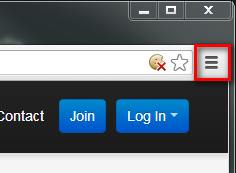
- Click the Chrome menu icon
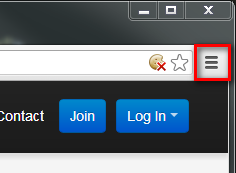
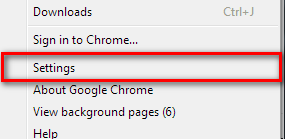
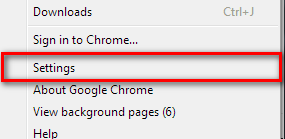
- Select Settings
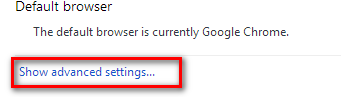
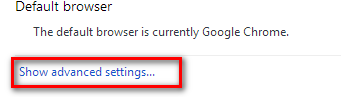
- Click Show advanced settings near the bottom of the page
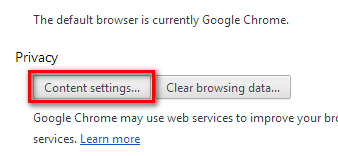
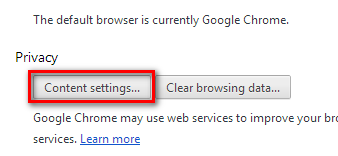
- Click Content settings in the "Privacy" section
- Select "Allow all sites to run JavaScript (recommended)"
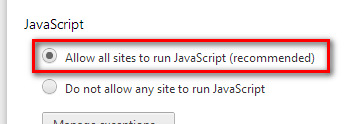
- Click OK

- Once the above steps have been completed, please click here to try again
Enabling JavaScript in Internet Explorer (IE) 9 or 10
- Click the IE menu icon
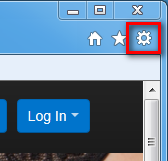
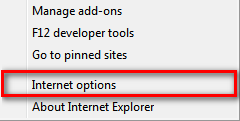
- Select "Internet options"
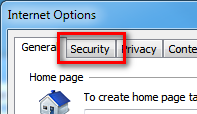
- Click on the "Security" tab
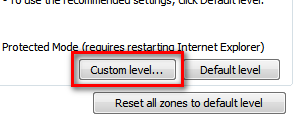
- Click the "Custom level..." button near the bottom of the dialog
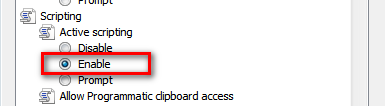
- Scroll down until you see the "Scripting" section, and choose "Enable" under the "Active Scripting" heading
- Click OK

- Once the above steps have been completed, please click here to try again
Enabling JavaScript in Firefox
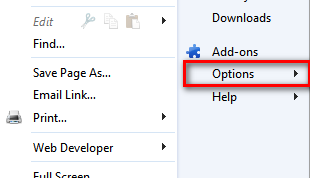
- Click the Firefox menu

- Select "Options"
- Click on the "Content" tab

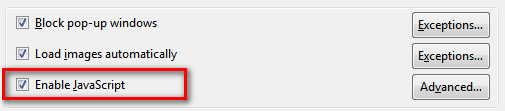
- Check off the "Enable JavaScript" option
- Click OK

- Once the above steps have been completed, please click here to try again
Enabling JavaScript in Safari
- Click the Safari menu icon
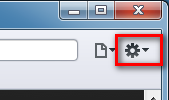
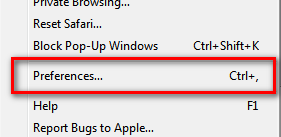
- Select "Preferences"
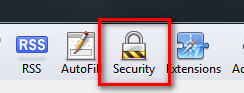
- Click on the "Security" tab
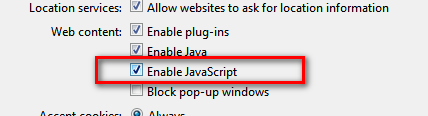
- Check off the "Enable JavaScript" option
- Close the preferences dialog

- Once the above steps have been completed, please click here to try again
Cookies Disabled
Please enable cookies to login to your account.Enabling Cookies in Chrome
- Click the Chrome menu icon
- Select Settings
- Click Show advanced settings near the bottom of the page
- Click Content settings in the "Privacy" section
- Select "Allow local data to be set"
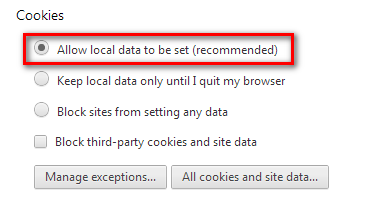
- Click OK

- Once the above steps have been completed, please click here to try again
Enabling Cookies in Internet Explorer (IE) 9 or 10
- Click the IE menu icon
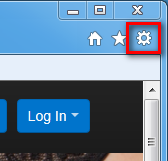
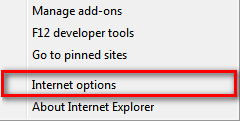
- Select "Internet Options"
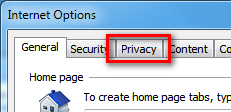
- Click on the "Privacy" tab
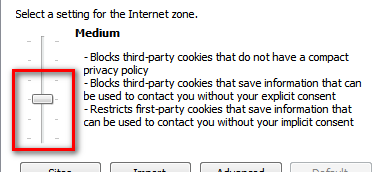
- Move the slider to "Medium" or lower
- Click OK
- Once the above steps have been completed, please click here to try again
Enabling Cookies in Firefox
- Click the Firefox menu

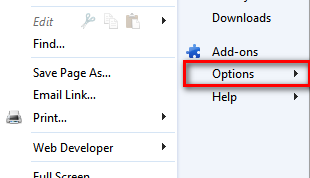
- Select "Options"
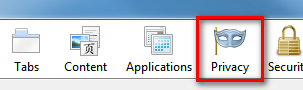
- Click on the "Privacy" tab
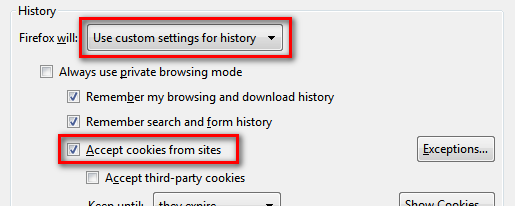
- Choose "Use custom settings for history" and then check off "Accept cookies from sites"
- Click OK

- Once the above steps have been completed, please click here to try again
Enabling Cookies in Safari
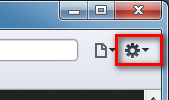
- Click the Safari menu icon
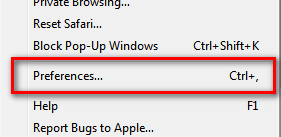
- Select "Preferences"
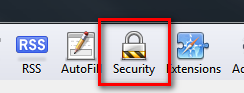
- Click on the "Security" tab
- Beside "Accept Cookies" choose "Always"

- Close the preferences dialog

- Once the above steps have been completed, please click here to try again